
Rincewind
-
Posts
963 -
Joined
-
Last visited
-
Days Won
4
Content Type
Profiles
Forums
Articles
Downloads
Gallery
Blogs
Everything posted by Rincewind
-
<!--CLOCK--> <DockPanel Grid.Column="0" Grid.Row="0" Panel.ZIndex="10" > <Viewbox VerticalAlignment="Center" HorizontalAlignment="Right" DockPanel.Dock="Right" > <TextBlock Text="{Binding CurrentTime}" FontFamily="Segoe UI Light" FontSize="30" > <TextBlock.Foreground> <LinearGradientBrush EndPoint="0.5,1" StartPoint="0.5,0"> <GradientStop Color="white" Offset="1"/> <GradientStop Color="Gray"/> </LinearGradientBrush> </TextBlock.Foreground> <TextBlock.Effect> <DropShadowEffect ShadowDepth="4" Direction="310" Color="Black" Opacity="0.7" BlurRadius="4"/> </TextBlock.Effect> </TextBlock> </Viewbox> </DockPanel>
-
No just spotted the theme only has rows so the column has to be 0, so just change the horizontal alignment to Right
-
Try changing the column from "0" to "1" or "2"
-
It's looking very good I like the clock like that , no need to credit me I'm learning too
-
Which corner left or right? Size of font will change the... Font size but you will probably have to remove the "stretchdirection=downonly" part I think
-
Try playing around with this code, changing the "row" and "column" or take a look at the code in other themes
-
<!--CLOCK--> <DockPanel Grid.Column="0" Grid.Row="0" Panel.ZIndex="10" > <Viewbox VerticalAlignment="Center" HorizontalAlignment="Center" StretchDirection="DownOnly" DockPanel.Dock="Right" > <TextBlock Text="{Binding CurrentTime}" FontFamily="Segoe UI Light" FontSize="30" > <TextBlock.Foreground> <LinearGradientBrush EndPoint="0.5,1" StartPoint="0.5,0"> <GradientStop Color="white" Offset="1"/> <GradientStop Color="Gray"/> </LinearGradientBrush> </TextBlock.Foreground> <TextBlock.Effect> <DropShadowEffect ShadowDepth="4" Direction="310" Color="Black" Opacity="0.7" BlurRadius="4"/> </TextBlock.Effect> </TextBlock> </Viewbox> </DockPanel>
-
@Cookz718 can you show us the whole code for the platformwheel3 with your changes and we should be able to help more
-
I will do a few today and send them to you, the only problem doing it this way is that the screen grab will be 1920px x1080px and may not look as good on say a 4k screen
-
This has so much potential to be a fantastic theme, can't wait to see the finished article. Am I correct in thinking you need a single screenshot of every platform video with the screens cut out and saved as a transparent .PNG file
-
As you know we don't share information on Rom download sites on the forum but I'm sure if anyone can help you they would send you a PM
-

theme CriticalZone / CriticalZone - BlueBox
Rincewind replied to CriticalCid's topic in Big Box Custom Themes
Great work on this @CriticalCid the screenshots look awesome. I'm unable to give it a spin till the weekend but wanted to check, will this be added as a default in the next LaunchBox update?- 627 replies
-
- 1
-

-
- bigbox
- widescreen
- (and 10 more)
-
theme CriticalZone / CriticalZone - BlueBox
Rincewind replied to CriticalCid's topic in Big Box Custom Themes
Great work on this @CriticalCid the screenshots look awesome. I'm unable to give it a spin till the weekend but wanted to check, will this be added as a default in the next LaunchBox update? -
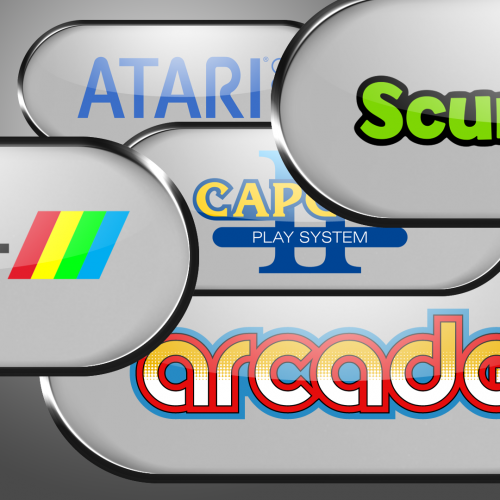 Hi @Sturm glad you like the logos and are running the theme,how are you getting on with it? I currently am not using any Playlists but when I did I think I had to manually change each one in LaunchBox by editting the Playlist and then clear all the image cache. The reason is because LaunchBox is not looking for the Playlist images in a theme folder. Please let me know how you get on and if I should separate the playlists from the download to make it more obvious I the future.
 -
Although at the moment this can't be achieved there has been talk from @Jason Carr of a new 3d engine for BigBox, so I can see the beta wall view being utilised and we could have box front images that flip around when selected with the videos playing which would be very similar to your first example
-
Art Feedback - "ROM Runner" Bartop Arcade
Rincewind replied to letstalkaboutdune's topic in Collections and Builds
Artwork is excellent and I like the name as it is, my only suggestion is you will need a couple of joysticks -
Exciting news
-
 Yes I'll dig out the files and upload some at 3840x2160
 -
I know it feels oddly quite at the moment, summer breaks are breaks for children but not parents . Sure things will pick back up soon
-
Thank you I'll give that a go now
-
How would I add it to this @Grila <!-- PLATFORM TOTAL GAMES --> <TextBlock Grid.Column="21" Grid.ColumnSpan="2" Grid.Row="15" Grid.RowSpan="1" Text="TOTAL GAMES:" Foreground="Black" FontFamily="Segoe UI Light" FontSize="20" /> <TextBlock Grid.Column="22" Grid.ColumnSpan="3" Grid.Row="15" Grid.RowSpan="1" Text="{Binding Path=SelectedPlatform.TotalGameCount}" Foreground="Black" FontFamily="Segoe UI Semibold" FontSize="20" Margin="55,0,0,0" /> I thought that this would of worked... <TextBlock.Effect> <DropShadowEffect ShadowDepth="4" Direction="310" Color="Black" Opacity="0.7" BlurRadius="4"/> </TextBlock.Effect>
-
I ran into that problem as well and ended up doing exactly what you first said only I just had it once underneath in black and simply moved the top up and to the left by 2. I was surprised there wasn't a obvious way to add it but I couldn't find out how to do it sorry
-
Maybe something has cropped up that @Jason Carr couldn't forsee happening. That said in the future a quick post or a PM to a moderator or staff member would be great then they could let the community know.
-
Huge Update New Transitions HT for PC Video
Rincewind replied to Maddoc1007's topic in Big Box Custom Themes
I'm not sure if @Maddoc1007 has released it yet -
Totally agree with keeping it as it is to start with and as with all things there is a learning curve even tho LaunchBox is very easy to setup. Also in the process you will learn which way to go with your pc in the future.

