

Rincewind
-
Posts
963 -
Joined
-
Last visited
-
Days Won
4
Content Type
Profiles
Forums
Articles
Downloads
Gallery
Blogs
Everything posted by Rincewind
-
I have just tried using the Rincewind theme again as I wanted to add a clock as an update which was fine, but when I checked all the views the videos are displaying completely wrong (this was happening before I added the clock). I know the issues with the alignment but they seem worse now then before. Have I missed something in the stream that I need to update in the theme. An example is the game view with the retro t.v. the video now displays tiny even tho I have "uniform fill" in there. There has been feedback complaints about the videos but I always put it down to the media player options. Really is it worth spending any more time on this?
-
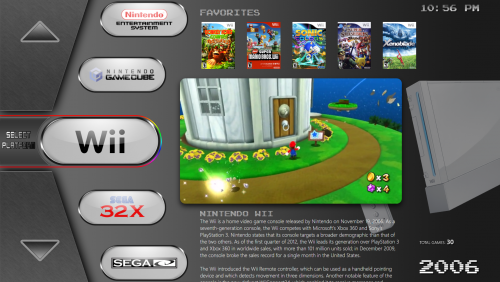 It could be you need to make sure the image names are exactly the same as your platform names, I am currently in the process of making an update for the theme too please let me know if that was your problem @Jcabral4
 -
Your 100% right with what your saying, thank you for clearing it up @Agent47. If there is anything I've learnt in the few short years I've been around the scene is that there are a lot of helpful and respectful people in the community as a whole and that's what makes it great. And I'm talking of the whole retro gaming community.
-
The thread as far as I remember was meant to be a place to say , "just to let you all know LaunchBox has a few new updates." but I understand that the replies sometimes ended up with a few frustrated past and present HS users venting, it is a shame when a thread ends up going down that route as someone will always get offended. So if the thread ended up like that then probably it's for the best. We do need to know the pros and cons of all things to make a better frontend, we just need a level of calm when discussing them.
-
Yes updating to the official release is safe to do, out of habit I make a backup once a new release is out so that while I install the betas I can always go back to my original install but that is more to do with what the new features do to the media files etc
-
Thank you for letting us know @circo
-
Wheels use the 'Clear Logos' so you could replace the images in the folder with the ones you wish to use instead and the fact the file names match your ROMs already is great, I would how ever make a backup of your clear logos as you might decide to use them instead in the future. As with the custom backgrounds you could try adding a image to the 'Fan Art' folder. I've not tryed this so maybe someone that has could let you know as you may need to turn off / on something in the options
-
Skip that I didn't have the video........ I know I did so I must of deleted it at least now I know what happens if there is no video to play.
-
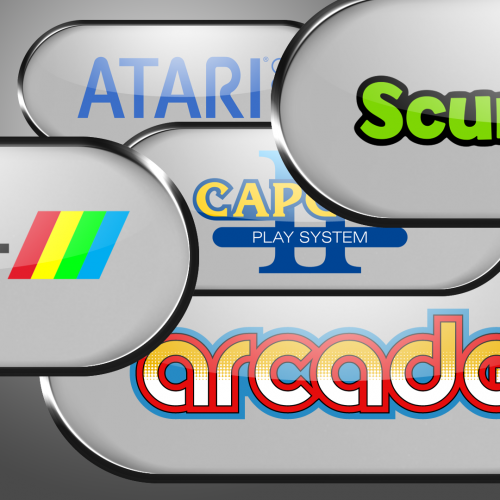 I made a vector version of the logo if you wanted a higher resolution
 -
Not sure if this is a new bug or not but the videos are now playing just the music on some games only.... see the below video when it gets to "2020 Super Baseball"
-
@Maddoc1007 thank you for taking a look at the theme, I do remember one of the views not working in VS so I used notepad++ to edit it instead. I think your right the Horizontal Wheel 1 view is not supposed to have video playing
-
Thanks @Pyrometheous , I don't know why the video playback is so bad for some people, for me it works with the WMP engine ok. This was my first stab at making a theme and I used alot of the code from exciting themes and mashed it together @CriticalCid helped alot. I'm not sure if one of the other.... more experienced theme makers might know if there's some bug in the code... @Grila @CriticalCid @eatkinola @Maddoc1007 @viking @vsilvalopes @faeran @SNAK3ATER or anyone I missed. This is the point that I find out it needs to be redone from the ground up (which is a possibility I know) Oh and 'Rincewind' is also my fav character from discworld, so is 'Death' but I think death is a bit on the morbid side so I went with the first option
-
Yes but should it not just refresh and cache newly added images
-
@JamesBond@ge don't feel like your 'dissing' because if we don't let @Jason Carr know about these things then there never get sorted.... It's a very valid bug report
-
Sounds like a drive about to fail I would make sure you grab a backup soon
-

Huge Update New Transitions HT for PC Video
Rincewind replied to Maddoc1007's topic in Big Box Custom Themes
I prefer playing without scan lines but they do make games/videos look more retrospective -
Huge Update New Transitions HT for PC Video
Rincewind replied to Maddoc1007's topic in Big Box Custom Themes
Awesome arcade view, the marquee is great -
@sagaopc have you tried changing the video play back engine in the options
-
Quick pinball version

-
@sagaopc the base PSD file is in the platform logos here... There are a few more to add and the pinball one i will get round to soon i hope just been flat out with work, if you make any please add them here
-
Yes you should leave it off the list then
-
Sorry @lordmonkus I completely forgot about that awesome thread. It's sometimes better to read things so they stick in your mind too
-
This is a little old now but a good video from @SentaiBrad that shows how easy it is to setup the SNES in LaunchBox using RetroArch
-
Good to have you here @Govinda , If you've not updated your emulators for a couple of years then i would highly suggest using RetroArch as it now emulates a lot more systems very well. There are many users in the community that can help you out if you run into problems but once you've watched a few of the tutorials you're see how easy it.
-
Huge Update New Transitions HT for PC Video
Rincewind replied to Maddoc1007's topic in Big Box Custom Themes
Spinning disc is awesome in the last video, great work

