

Rincewind
-
Posts
963 -
Joined
-
Last visited
-
Days Won
4
Content Type
Profiles
Forums
Articles
Downloads
Gallery
Blogs
Everything posted by Rincewind
-

Restoring and Preserving Historical Video Game Box Art
Rincewind replied to Jonny Severn's topic in Game Media
Still never played that game. that one turned out great 👍 -
Restoring and Preserving Historical Video Game Box Art
Rincewind replied to Jonny Severn's topic in Game Media
Amazing I don't know how you manage to sharpen it up so much from the originals. I'm currently trying to create a platform game character set of images and a few of them I have used are lacking the sharpness as the originals don't have the detail. -
Restoring and Preserving Historical Video Game Box Art
Rincewind replied to Jonny Severn's topic in Game Media
Still to this day I don't nlknow how to play that game -
Restoring and Preserving Historical Video Game Box Art
Rincewind replied to Jonny Severn's topic in Game Media
You really managed to clean that one up nicely, the background fade now is flawless ? -
 Simply AMAZING
 -
Amazing to finally see that v2.0 is out there. I've had the pleasure of testing this version throughout the last 12 months and even up until the release I can't believe how hard you have worked on it... Literally day and night. So thank you very much Dave and thanks to your wife also for being so understanding when your coding so franticly. I honestly think you deserve some kind of medal for this but all I can give is THANKS. From the old version to this version it's unreal to see how much has changed, and every single time I have asked for something to be added no matter how hard it is to implement you have added it, fixed it or changed it. THANK YOU
-
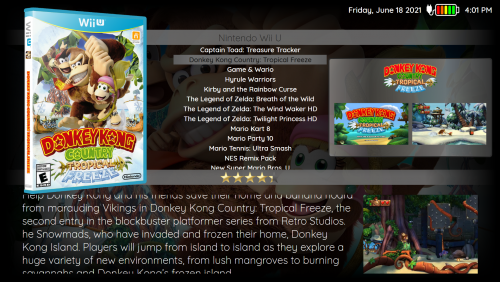
DarkTrace View File This theme I have been working on for along time as it was used to implement new features that were added to the Community Theme Creator as they were inclued. It uses the new navigation bindings for the background images and works well on laptops. There are custom images so it's best to clear the platform clearlogo cache first. Any problems with it please let me know and all feedback is welcome. INSTALLATION Download the zip file and unblock it (right click the zip file, goto "Properties" then at the bottom put a tick in the "Unblock" box, hit ok when done) then extract the folder to --\Launchbox\Themes\ _______________________________________ Thanks as always to @y2guru for his amazing COMMUNITY Theme Creator for BigBox. Submitter Rincewind Submitted 08/03/2021 Category Big Box Custom Themes
-
- 1
-

-
Version 1.0
184 downloads
This theme I have been working on for along time as it was used to implement new features that were added to the Community Theme Creator as they were inclued. It uses the new navigation bindings for the background images and works well on laptops. There are custom images so it's best to clear the platform clearlogo cache first. Any problems with it please let me know and all feedback is welcome. INSTALLATION Download the zip file and unblock it (right click the zip file, goto "Properties" then at the bottom put a tick in the "Unblock" box, hit ok when done) then extract the folder to --\Launchbox\Themes\ _______________________________________ Thanks as always to @y2guru for his amazing COMMUNITY Theme Creator for BigBox. -
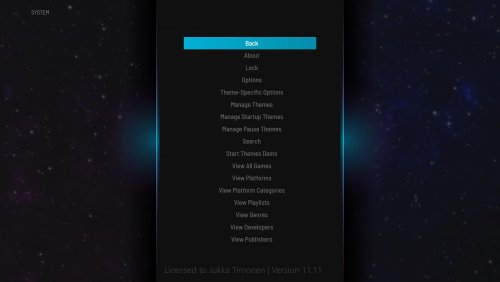 Thats why then @Knowcontrol the file is for the current forum build not the version you are using. So you would have to correct the changes manually.
 -
@Knowcontrol What version of the Community Theme Creator are you using?
-
.thumb.png.d6c8212318226c705dc59610987438d8.png) @MuffinXXL I have created the theme on a newer version of the COMMUNITY Theme Creator so it wouldn't work for you right now but I will be releasing the theme project file as soon as the new version becomes public.
@MuffinXXL I have created the theme on a newer version of the COMMUNITY Theme Creator so it wouldn't work for you right now but I will be releasing the theme project file as soon as the new version becomes public. -
Wheel View File Just finished this wheel theme that has been hanging around my theme projects folder for a while, hence the name has never changed from the initial beginning. There are 2 platform wheel views (inside wheel and outside wheel) then there's the 2 textlist views. INSTALLATION Download the zip file and unblock it (right click the zip file, goto "Properties" then at the bottom put a tick in the "Unblock" box, hit ok when done) then extract the folder to --\Launchbox\Themes\ _______________________________________ Thanks as always to @y2guru for his amazing COMMUNITY Theme Creator for BigBox. Please try it out for yourselves by clicking the link below. Submitter Rincewind Submitted 06/27/2021 Category Big Box Custom Themes
-
Version 1.1
261 downloads
Just finished this wheel theme that has been hanging around my theme projects folder for a while, hence the name has never changed from the initial beginning. There are 2 platform wheel views (inside wheel and outside wheel) then there's the 2 textlist views. INSTALLATION Download the zip file and unblock it (right click the zip file, goto "Properties" then at the bottom put a tick in the "Unblock" box, hit ok when done) then extract the folder to --\Launchbox\Themes\ _______________________________________ Thanks as always to @y2guru for his amazing COMMUNITY Theme Creator for BigBox. Please try it out for yourselves by clicking the link below. -
These look great, I like the uniformity they now have. Great work
-
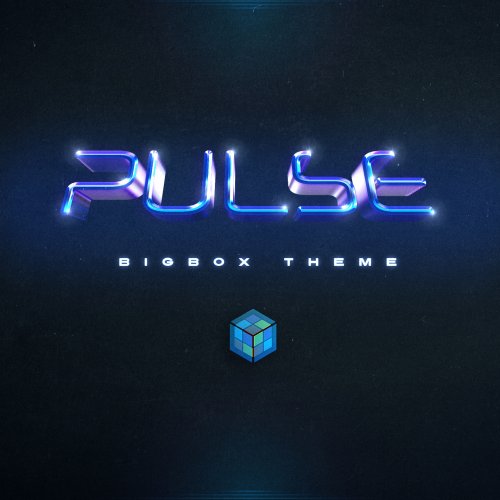 Absolutely great theme with lots of different view choices, brilliant little animation effects added which create that extra polish to the theme. Great work
 -
Restoring and Preserving Historical Video Game Box Art
Rincewind replied to Jonny Severn's topic in Game Media
Ah the Amiga too needed updated.... ST what was that -
Restoring and Preserving Historical Video Game Box Art
Rincewind replied to Jonny Severn's topic in Game Media
3600 changes wow that is fantastic, I definitely need to update my ZX Spectrum media now. I'm also from the UK, and those lockdowns we needed all the distractions we could get. -
Restoring and Preserving Historical Video Game Box Art
Rincewind replied to Jonny Severn's topic in Game Media
Great work on all those images, I do hope your going to upload them to the LaunchBox DB.... I know alot of the disc images needed work. And the speccy needs some love -
LaunchBox
-
v4.2 gets my vote, its very clean and well balanced.
-
I was talking to @y2guru about this the other day and he said that it will be possible and that he would need to work with @Jason Carr or @C-Beats So fingers crossed :)
-
The new Wall View looks great I've not looked at the xaml code yet to see what customizing control we get but it's definitely a much smoother experience than the original Wall View. I did get a error come up when scrolling through, It happened when I reached the end of the games and there was only 1 game in that row, the name of the game was Ys III - Wanderers from Ys (USA). Error code was the same as above once and another time I think it was '29'.
-
Very impressive stuff going into this build, I also can't wait to try it out.
-
@Mr. RetroLust This is the code I used to add the Steam Achievements in the GameDetailsView. <!-- Steam Achievements--> <TextBlock Text="{Binding AchievementsLoadingLabel}" Visibility="{Binding AchievementsLoadingVisibility}" Foreground="{Binding ForegroundBrush}" TextWrapping="Wrap" Margin="0,15,0,0" FontFamily="{Binding SmallFontFamily}" FontSize="{Binding SmallFontSize}" FontWeight="{Binding SmallFontWeight}" FontStyle="{Binding SmallFontStyle}" /> <ContentControl Name="AchievementList" Visibility="{Binding AchievementsVisibility}"/> <!-- Steam Achievements END-->
-
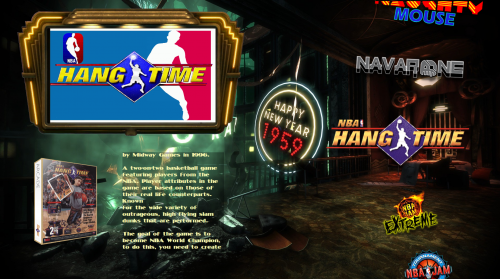 Cab looks great. Another little problem is the folder which has the "Custom Image Assets" is not with the theme. Here's a quick manual edit I did just to get it working Bioshock.zip
.thumb.png.d6c8212318226c705dc59610987438d8.png)

