
Klopjero
-
Posts
802 -
Joined
-
Last visited
-
Days Won
9
Content Type
Profiles
Forums
Articles
Downloads
Gallery
Blogs
Everything posted by Klopjero
-
History of 3d shooters - clear logo View File Hi, I created this clear logo for my History of 3d shooters playlist. I'm quite happy with the result so I decided I'd upload it to the site so the community could have it too. Submitter Klopjero Submitted 03/03/2022 Category Playlist Clear Logos
-
- 1
-

-

Version 1.0.0
36 downloads
Hi, I created this clear logo for my History of 3d shooters playlist. I'm quite happy with the result so I decided I'd upload it to the site so the community could have it too. -
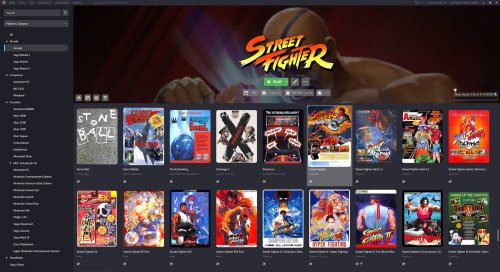 Steam and Gog galaxy come to mind. Very nice design
 -
 It's what the sega genesis was called in south korea. or was it the master system ? hmmmm. ah .. it's the genesis/megadrive Sega Mega Drive 2 Super Aladdin Gam Boy Samsung Console MD Korean rare | eBay Super Gam*Boy – MegaBites (wordpress.com)
 -

Bigbox 12.7 banners - a persistant annoyance.
Klopjero replied to Klopjero's topic in Troubleshooting
Marvelous very happy ! Thank you -
I have the same issue, I just changed the location of screen ..
-
Bigbox 12.7 banners - a persistant annoyance.
Klopjero replied to Klopjero's topic in Troubleshooting
So what do i do next and are there any plans to stop syncing these images compulsively ? -
Bigbox 12.7 banners - a persistant annoyance.
Klopjero replied to Klopjero's topic in Troubleshooting
Is that the PlatformMarqueeView.xml that is located in the default theme ? -
Bigbox 12.7 banners - a persistant annoyance.
Klopjero replied to Klopjero's topic in Troubleshooting
okay, but those platform images have to come from somewhere, right ? because THAT's what bothers me the most.. I DELETED them, when I right click on the platform I do not see those banner images. -
Bigbox 12.7 banners - a persistant annoyance.
Klopjero replied to Klopjero's topic in Troubleshooting
nope had disabled everything, and even if I Checked just the Clear logos, the image, that should not exist anymore, is still displayed in the marquee... I'm confused -
HI, I must be doing something wrong. With the release of 12.7 I wanted to use the dedicated marquee view, which is awesome, however Those pesky Square box banners keep appearing. now. I have set the marquee theme to be overwritten by BB. I have Shift- DELETED those Square box banners from my .\images\platforms\[platform]\banner folders because they mess up my marquees. how-f*cking-ever-ever They keep appearing ! I have refreshed the image cache, thinking it might be a caching thing.. that didn't help either. I checked if the theme author might have added them in the override folder of the theme, that wasn't it either. I switched back to the default theme, and those images were still there. Is there an alternate file location where these images as a fallback when there are no images found in the .\banner folder? is there a seperate marqueee image cache that can't be refreshed ? help me
-
This can't be right, I've setup Vectrex with HSM MEga bezel reflection shader the presets for the beze/shader is per game and includes the overlay and nice glowy effects..it looks gorgous. HSM Mega Bezel Reflection Shader! - Feedback and Updates - RetroArch Additions / Shaders - Libretro Forums
-
TeknoParrot has come a long way so far.
-
The banners they use here are square things which are weird to use as a marquee. I started making my own.. here have some.

-
Neon Deluxe Arcade - 16:9 (Big Box Theme)
Klopjero replied to Mr. RetroLust's topic in Big Box Custom Themes
how come this theme isn't available in the Theme management section of bigbox ? -
community COLORFUL resources
Klopjero replied to viking's topic in Third-Party Applications and Plugins (Released)
-
community COLORFUL resources
Klopjero replied to viking's topic in Third-Party Applications and Plugins (Released)
https://www.imgupscaler.com/ I found this webservice, which impressed me. realy nice upscales. here are some other that I have done with it.
-
community COLORFUL resources
Klopjero replied to viking's topic in Third-Party Applications and Plugins (Released)
can this be used?
-
I'm out of quotes, a Retroarch mame commandline thing
Klopjero replied to Klopjero's topic in Troubleshooting
o For F sake So the proper Extra commandline parameter reads as follows "astrocde -rompath \"F:\LaunchBox\Games\Bally Astrocade\" -cart \%romfile%" in lowercase, otherwise it will not work. Also important to \ the end of the rompath My appreciation for all involved replying to my topic. I have learend alot, and I'm glad that it it worked out in the end.. It works like a charm. The launchbox startup does not like though, the emulator goes through the motions and it gives a startup and a gameover screen after wich retroarch has finally sorted it self out and runs the emulator another piece of the puzzle -
I'm out of quotes, a Retroarch mame commandline thing
Klopjero replied to Klopjero's topic in Troubleshooting
yes but the retroarchy promised lands of Harmonized control schemes and HSM megabezel reflection shaders await us on the other side. The things you describe I already have done and is working.... OUTSIDE Launchbox. the only thing that is in he way is LB it self because of this tiny little commandline omission. We could be like GODS, drinking mead from the skulls of our enemies while fully enjoying the benefits that retroarch brings to us. I think i got over excited in that last sentence, but you get the idea. with each reply -
I'm out of quotes, a Retroarch mame commandline thing
Klopjero replied to Klopjero's topic in Troubleshooting
really ? why ? it's the same thing, so what makes it a pain in the ass and not worth the effort? -
I'm out of quotes, a Retroarch mame commandline thing
Klopjero replied to Klopjero's topic in Troubleshooting
Hi JoeViking, thank you for replying to my post, I really appreciate it. you have helped me understand that -L is not important in this case, or at least the position in the syntax is less important then I initially thought. I am sad to report however that your suggestions did not resolve my issue. My results were either that the mame core, could not find the bios, or didnt understand that the gamerom file was cart or it couldnt find the ROM file. and just gave a black screen. I think because Retroarch is a multiplatform frame work, supporting mame, which is another multiplatform framework, is the reason why I have to put the specific Mame syntax between quotes. I need to start the paths within this syntax with a \ because otherwise it will misinterpret "Gamerompath" do to the spaces in te path. So basically because it's currently not possible to use the \full\path\to\rom\file as a variable within the extra commandline paramater and have that parameter between quotes. this will not work. If I am completely misunderstanding this please correct me. but I did test and I have no positive results.




