
Suhrvivor
-
Posts
616 -
Joined
-
Last visited
-
Days Won
2
Content Type
Profiles
Forums
Articles
Downloads
Gallery
Blogs
Everything posted by Suhrvivor
-
Mr. RetroLust's Lights Out! Retroarch Bezels
Suhrvivor commented on Mr. RetroLust's file in Platform Bezels/Overlays
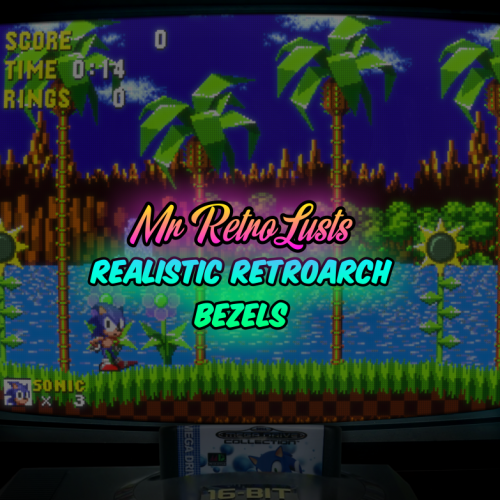 Amazing work! I love the dimmed lights idea. Makes the bezel not to pop out as much as the game like it should. Remember that the PAL-JAP SNES' carts are different than the American.
 -
I like the default image idea! Can you please add default images for "cart - back" and "fanart cart - back", since those usually look the same for all games it's a good idea to just have the same default image for all titles of a platform.
-
Accidentally submitted game without filling in info
Suhrvivor replied to spoopa's topic in Website/Forum Support
Just wait until is either rejected or accepted, then add the missing info or submit it again with more info. -
My only wish is that they fix the delete bug that makes cleaning duplicates and other images a gamble.
-
On BigBox 9.8 beta 5, The shutdown screen fails to appear and put you back to BigBox. When you close an emulator, you are stuck in a black screen. alt+tabbing or clicking on the startup window in the taskbar seems to fix it. This happened mainly with Retroarch and MAME (Arcade64 flavor) and not all the times, sometimes you go back normally, other times this happens.
-
What are Skapers mix images? Ask the creators of those themes if they can help you. I guess that if you edit the themes you can make the background images to not fill the screen, but you'll end up with either awfully stretched backgrounds or black bars in the sides. In my opinion, the alternatives are worse than what you're getting now.
-
Better/Fixed SEGA Game Gear Overlay for Retroarch
Suhrvivor commented on flatuswalrus's file in Platform Bezels/Overlays
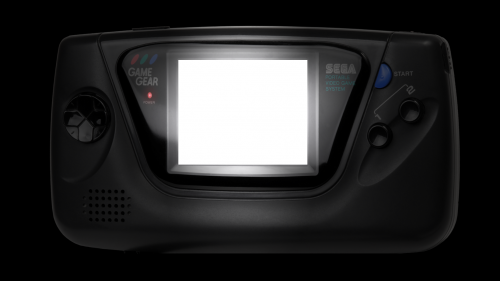 You also need to provide the corresponding .cfg file for Retroarch to use it as a overlay.
 -
Theme Videos and Video Snaps for Sony Playstation 3
Suhrvivor replied to Suhrvivor's topic in Game Media
Feel free to post what games you want next, I'll consider doing first highly requested titles. -
Theme Videos and Video Snaps for Sony Playstation 3
Suhrvivor commented on Suhrvivor's file in Sony Playstation 3
 I was thinking about doing the Killzone series, that or God of War III, or the collections, It all depends if I find good artwork for them. I already made a theme for Mirror's Edge a long time ago, I just have to convert it to 16:9, get a good enough videosnap and record it.
 -
Theme Videos and Video Snaps for Sony Playstation 3 View File Sharing some theme videos and video snaps I made for this console. I might add more as soon as I make them. How to add to your LaunchBox and BigBox: Download the zip files. Extract to LaunchBox's root folder. Content will be extracted to its proper folders. Done! Video snaps will show up in the game details panels and theme videos will appear on BigBox themes' views that use them. List of Video Themes: Catherine Demon's Souls Diablo III: Reaper of Souls: Ultimate Evil Edition Earthworm Jim HD Final Fantasy XIII Final Fantasy XIII-2 God of War HD God of War II HD God of War III Lollipop Chainsaw Lightning Returns: Final Fantasy XIII Mirror's Edge NBA Jam: On fire Edition NEW Ni no Kuni: Wrath of the White Witch NieR: Replicant Persona 5 Red Dead Redemption Red Dead Redemption: Game of the Year Edition Resident Evil Code: Veronica X HD Super Street Fighter II Turbo HD Remix The Last of Us Details for Nerds: Theme videos are mostly 1080p60, encoded with HEVC for optimal file size. Video snaps are usually 540p, some lower resolution, some higher up to 720p60. Encoded using x264 for compatibility and performance. Theme videos' audio is 160 kbps aac, video snaps 96-160 kbps aac. Submitter Suhrvivor Submitted 03/24/2019 Category Sony Playstation 3
-
Version (22 games)
5,080 downloads
Sharing some theme videos and video snaps I made for this console. I might add more as soon as I make them. How to add to your LaunchBox and BigBox: Download the zip files. Extract to LaunchBox's root folder. Content will be extracted to its proper folders. Done! Video snaps will show up in the game details panels and theme videos will appear on BigBox themes' views that use them. List of theme videos: Catherine Demon's Souls Diablo III: Reaper of Souls: Ultimate Evil Edition Earthworm Jim HD Final Fantasy XIII Final Fantasy XIII-2 God of War HD God of War II HD God of War III The Last of Us Lightning Returns: Final Fantasy XIII Lollipop Chainsaw Mirror's Edge NBA Jam: On fire Edition NEW NFL Blitz NEWEST Ni no Kuni: Wrath of the White Witch NieR: Replicant Persona 5 Red Dead Redemption (Original and GOTY) Resident Evil Code: Veronica X HD Super Street Fighter II Turbo HD Remix Details for Nerds: Theme videos are at least 1080p60, encoded with HEVC for optimal file size. Video snaps are usually 540p, some lower resolution, some higher up to 720p60. Encoded using x264 for compatibility and performance. Theme videos' audio is 160 kbps aac, video snaps 96-160 kbps aac. -
If you're launching the steam version, you can disable the launcher by finding the game in Steam, right clicking and selecting properties. in the general tab press the "Set Launch Options" button, add -nolauncher and click the OK button. This also works in the first Tomb Raider (2013) and Rise of the Tomb Raider.
-
The file size of the preview images of the theme manager are ridiculously high, takes too much time to load some of them. There's no need for them to be full resolution png when a high quality jpeg would look the same but it will be dramatically smaller in size. They only fit a small portion of the screen yet some of them are 4K 6MB png images. Is it be possible to optimize those images to make the navigation lightweight and faster?
-
Dead or Alive 6 Video Theme View File Video theme for this now free to play fighting game. Videosnap included. Download, rename and move to the Videos/Windows/Theme folder. Preview: Submitter Suhrvivor Submitted 03/23/2019 Category Game Theme Videos
-
- 1
-

-
Pls gib scriptz If it's not too much of a trouble for you, please share your scripts so other people can save time compressing their files.
-
GDIs (and cue+bin) can be converted to chd, a much better format. It's what all the cool kids are using right now. CHDs are only one file, as compressed as a 7z (sometimes even better) and modern emulators can load them directly without having to wait for decompression at the beginning. Check this thread for more info.
-
If you don't want to have full romsets and prefer to only have the cool games for each platform, I'd recommend checking out /v/'s Recommended Games Wiki, They have lists of the best and recommended games for a bunch of systems. You can use those list and then add your favorite games to have a smaller and packed collection. For Arcade, you might want to check the All Killer, No Filler MAME Gamelists Directory script that removes the garbage clones, non-working and awful games for split sets.
-
Here's one I made, premiered for the first time exclusively in this thread: kinst2.zip Drop the zip in MAME/artwork (no need to extract files).

-
I don't use that emulator (fell into the Retroarch vortex and can't get out), but whenever I have a problem closing an emulator, using an Autohotkey script usually solves the problem. In LaunchBox, go to tools -> Manage Emulators, double click your emulator (in this case Project 64), in the Autohotkey Script tab, add the following: $Esc:: { Process, Close, {{{StartupEXE}}} }
-
CEMU: not possible to load Super Smash bros DLC..
Suhrvivor replied to legolas119's topic in Emulation
Base game will not pick up the DLC if it's not updated. You need to download and install both latest update and DLC. -
 Hey quick feedback; The Nintendo Switch carts spin like if they were a disc (tested with all the platform DLCs).
 -
 I'm still using this theme. Pretty cool that you're keeping it updated! I have a minor request, Lord Cid, could you add the scrolling notes to the Game Details View (TextGamesView)? I think it's a good idea to have as much information as possible in that view.
 -
LOL, just found out about this separate thread for the theme I uploaded. Not really, but why would you want that? That's super boring! It's much cooler to have a personalized background for each game! General backgrounds are shown only if the game doesn't have any background associated with it (and that platform has a background).
-
Resident Evil 2 (2019) Video Theme + Videosnap Pack View File Video theme for BigBox + videosnap of one of the most anticipated remakes of all time. Preview: Add this to your collection by extracting it to your LaunchBox root folder (File names must match what you have in LaunchBox). Video theme's video is HVC1, 2560x1440, 60fps and 4482kbps. Audio is AAC, 48000Hz stereo and 160kbps. Videosnap's video is MPEG4 (H264), 1280x720, 59.94fps and 3607kbps. Audio is AAC, 48000Hz, stereo and 128kbps. Submitter Suhrvivor Submitted 01/25/2019 Category Game Media Packs
-
This is how your emulator's settings should look in LaunchBox: Make sure "Extract ROM archives before running" at the bottom right is unchecked.


.jpg.ebbad5e77aefc15cb68966eaf4973611.jpg)


