

neil9000
-
Posts
12,649 -
Joined
-
Last visited
-
Days Won
38
Content Type
Profiles
Forums
Articles
Downloads
Gallery
Blogs
Everything posted by neil9000
-
I removed those files. Do not post copyrighted files on these forums.
-
 That would depend on the theme, the theme creator would have to code a image fallback if no video was present. If you have a video though that will play as a theme will be looking for it, so even if a theme does support images you would need to delete/move your videos first.
 -
Have you actually downloaded any emulators, as Launchbox doesnt include any?
-
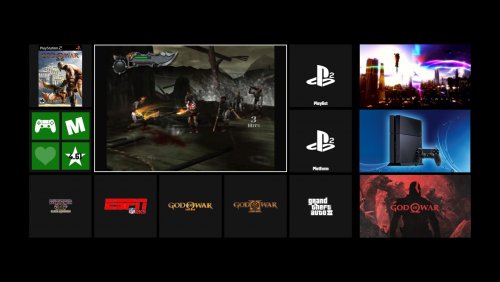 Yeah well its not designed for ultra wides. So unless the creator wants to go to the effort of coding for a ratio he likely doesnt have to test with, you may need to do those yourself.
 -
Isnt there a option in the emulator, or you can add i think -fullscreen as a commandline option. Or use retroarch mednafen core as its a better emulator.
-
Neon Deluxe Arcade - Big Box Theme
neil9000 replied to Mr. RetroLust's topic in Big Box Custom Themes
Its a carpet that you would get in arcades, nothing more complex than that. -
Im not to up with triforce, but my understanding is they are arcade games, so i assume there is no saving.
-
The windows importer scans your start menu folder for your games, so there is no way to specify folders there. If you have all your shortcuts in one folder however you can just drag and drop that folder onto Launchbox to start the import wizard, and choose the "None of the above" option so that they are imported as files and not associated with a emulator.
-
Yes that is how that view is supposed to look, that is the text list view, which must be included in every theme so will always look similar to other themes.
-
All themes have several views, you can switch them in the options, or set a key/button and switch on the fly.
-
You said you was using a 0.218 set? If so use the core just called mame, thats the current one and updated every month alongside the roms.
-
Just delete the platform an import again, it will keep all your images/videos, so uncheck all of those and what you have will still work after. (Make sure you leave the search for metadata box checked though, you need that, just uncheck all the images and video options).
-
Its because you "-deselected all "skips"" so it imported every single file.You will have thousands that wont work at all, thousands that are not even games, as well as all the bios files, that is why you find no media for them. Leave all the boxes checked, just choose import clones as additional apps, and the region you prefer, leave everything else at there defaults, that will stop non games and non working games being imported. This is what i do, if you want playlist feel free to select those, i dont want them personally.

-
The Pixel Slate is a ChromeOS device, they do support Android apps these days, but maybe there is a incompatibility, as i believe apps from the play store are essentially emulated by the OS. Also they are running on Intel chips and not ARM.
-
Use the fullset importer and only import working games and combine clones. Launchbox should import around 2820 roms.
-
Try this thread. Or this one.
-
Demul needs different settings in Launchbox for Dreamcast vs Arcade games. So you will be best to add a new emulator entry, call it Demul Arcade or something and point it to your same demul.exe. You can then check the correct options in the manage emulator settings and add the correct systems with the launch commands in the associated platforms tab.
-
You need to download the cores from within Retroarch.
-
in steam click your profile and then edit profile, you can add your name instead of a number.
-
Well if all your details are correct it would work. Is your steam profile set to public, as it needs to be? As for MAME, what romset do you have and how are you importing, using the fullset importer or the standard rom importer?
-
We will need more info than that to troubleshoot, "nothing works" isnt to descriptive, especially as you mention two completely different systems with there own specific importers. What exactly happens when you try to launch games? Do your MAME games work just using MAME without Launchbox?
-
Yes that should work fine, the platformname.xml is where that info is actually stored so the most important part, and yes just copy the image and video folders. Cant say i have ever seen that, what theme?
-
Sounds like you do not have a emulator associated with those games.
-
Just type it in the box.
-
In steam go to your profile page, then choose edit profile, you can put in your username.






.png.33de25cefb3ad4a495d592c29d3b3c1f.png)
.png.93aeab420808f802f5db89dab9d2ccb3.png)
.png.eb6dae9a42cde38616485d9825d9ea80.png)
