

neil9000
-
Posts
12,649 -
Joined
-
Last visited
-
Days Won
38
Content Type
Profiles
Forums
Articles
Downloads
Gallery
Blogs
Everything posted by neil9000
-
Hi Jason, just got this error in Launchbox Next when starting a game. Object reference not set to an instance of an object. App: LaunchBox Version: 8.3-beta-2 Type: System.NullReferenceException Site: Void (<>c__DisplayClass190_2) Source: LaunchBox.Next at (<>c__DisplayClass190_2 ) at Unbroken.LaunchBox.Desktop.Next.ViewModels.GameDetailsViewModel.<>c__DisplayClass190_2.<AttachView>b__8() at System.Windows.Threading.DispatcherOperation.InvokeDelegateCore() at System.Windows.Threading.DispatcherOperation.InvokeImpl() --- End of stack trace from previous location where exception was thrown --- at System.Runtime.ExceptionServices.ExceptionDispatchInfo.Throw() at System.Runtime.CompilerServices.TaskAwaiter.HandleNonSuccessAndDebuggerNotification(Task task) at System.Windows.Threading.DispatcherOperation.Wait(TimeSpan timeout) at System.Windows.Threading.Dispatcher.InvokeImpl(DispatcherOperation operation, CancellationToken cancellationToken, TimeSpan timeout) at System.Windows.Threading.Dispatcher.Invoke(Action callback, DispatcherPriority priority, CancellationToken cancellationToken, TimeSpan timeout) at System.Windows.Threading.Dispatcher.Invoke(Action callback, DispatcherPriority priority) at (Action , DispatcherPriority ) at Unbroken.LaunchBox.Wpf.Threading.Invoke(Action callback, DispatcherPriority priority) at (<>c__DisplayClass190_0 , Object , SizeChangedEventArgs ) at Unbroken.LaunchBox.Desktop.Next.ViewModels.GameDetailsViewModel.<>c__DisplayClass190_0.<AttachView>b__1(Object sender, SizeChangedEventArgs args) at System.Windows.RoutedEventArgs.InvokeHandler(Delegate handler, Object target) at System.Windows.RoutedEventHandlerInfo.InvokeHandler(Object target, RoutedEventArgs routedEventArgs) at System.Windows.EventRoute.InvokeHandlersImpl(Object source, RoutedEventArgs args, Boolean reRaised) at System.Windows.UIElement.RaiseEventImpl(DependencyObject sender, RoutedEventArgs args) at System.Windows.FrameworkElement.OnRenderSizeChanged(SizeChangedInfo sizeInfo) at System.Windows.ContextLayoutManager.fireSizeChangedEvents() at System.Windows.ContextLayoutManager.UpdateLayout() at System.Windows.ContextLayoutManager.UpdateLayoutCallback(Object arg) at System.Windows.Media.MediaContext.FireInvokeOnRenderCallbacks() at System.Windows.Media.MediaContext.RenderMessageHandlerCore(Object resizedCompositionTarget) at System.Windows.Media.MediaContext.RenderMessageHandler(Object resizedCompositionTarget) at System.Windows.Threading.ExceptionWrapper.InternalRealCall(Delegate callback, Object args, Int32 numArgs) at System.Windows.Threading.ExceptionWrapper.TryCatchWhen(Object source, Delegate callback, Object args, Int32 numArgs, Delegate catchHandler) Recent Log: 4:27:48 PM Music.Pause Start 4:30:07 PM Music.Pause Start 4:30:07 PM Exception
-

IMPORTANT!! Please Read Before Posting For Help
neil9000 replied to Lordmonkus's topic in Troubleshooting
Try the support channel in our discord server. https://discord.gg/AFxfhnv -
Its probably been answered above, but with FX2 you need a cabinet code from the devs to load specific tables. Then just import the .pbx tables as roms setting the fx2.exe as the emulator.
-
Thing is I don't think those are typical naming policy's are they? goodsnes I have never heard of, and hyperlist is for a different frontend right? One that is much more strict on naming than Launchbox, by there own design. which also makes it more difficult for more casual users to get there games matched up. Not everyone will have exactly correct named roms is what im getting at, but they should still match up with data in the database, unless they are really weirdly named.
-
Could you plug the PC into a TV for setup? If not you can Email support@unbrokensoftware.com explain the situation and ask for a refund.
-
Yeah that could well be the issue, to be honest Launchbox is not designed for a crt, Bigbox can run on one with specific themes but Launchbox is a windows application and as such will rely on a higher resolution than a crt, like most windows programs I'm guessing. Do you have another system you could set everything up on then move the hard drive to the system using the crt?
-
Hi and welcome to the community. Well I have never heard of the tools menu not being there before, that is a first. Have you tried re-installing the latest version directly over the top of your current one?
-
Stellar ~ RetroArch Nightly Updater
neil9000 replied to wyzrd's topic in Third-Party Applications and Plugins (Released)
I know someone else who has a busted nightly as well, so I guess its a thing. You might want to download the stable and copy your files across. -
You just point clrmamepro at the mame.exe.
-
Just right click the game, then expand selected games.
-
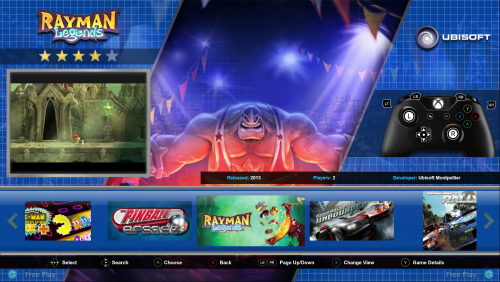 Turn off background videos in the options/Videos section.
 -
You need to switch the view, all themes have more than one view, you can switch it in options/views, or set it to a button and switch on the fly.
-
Check the box for skip game details in the bigbox options.
-
[SOLVED] How do I start over or remove an imported game genre?
neil9000 replied to Filthgrinder's topic in Noobs
Well I assumed you was talking about Arcade as you mentioned casino and quiz games. You just need to right click the platform in launchbox and click delete. Or the way @DOS76 said, either way works. -
[SOLVED] How do I start over or remove an imported game genre?
neil9000 replied to Filthgrinder's topic in Noobs
You will have to delete your arcade platform and re-import with the settings you want. You can uncheck all the media downloads this time as you already have it all, so a import should be pretty quick. -
The emulator in that set is set to Rocketlauncher, so you would have to tell Rocketlauncher which Retroarch core it should use.
-
Are you both using the exact same rom file?
-
 OK fair enough, others say they can see it also, I honestly can not. The still above proves it, but as I say in motion I honestly can not see it myself.
 -
Sorry, nope I see nothing. if there is any weird thing there then you are the first to see and report it. Now I'm not saying what you are saying isn't happening, I'm just saying I don't see it.
-
I downloaded it and watching in VLC, I see nothing, maybe its a monitor and resolution issue?
-
Wow, with all due respect I have just watched that video 3 times in a row and I see nothing like you are describing.???
-
Id go with the delete the platform and re-import with the emulator already set. Then everything imported will use the same emulator.
-
 Not for me this one, but @Grila nails this stuff for all you theme makers out there. What a legend.
 -
There is a sound option in setting of retroarch, but it should work by default. Did you mess with settings? Secondly what are you running it on? it may need hdmi or phono or headhones??
-
Hi and welcome to the community. Unfortunately that's not possible, the steam import just looks at your entire collection and adds all your games.




