

Rincewind
-
Posts
964 -
Joined
-
Last visited
-
Days Won
4
Content Type
Profiles
Forums
Articles
Downloads
Gallery
Blogs
Everything posted by Rincewind
-
 Yes that was it thank you @alec100_94 I should of extracted the zip properly instead of just dragging the files across.
 -
OK thanks. @alec100_94 any ideas
-
I must be doing something wrong or have a setting incorrect somewhere but I just get this error when I click on the "Config...". I have unblocked the plugin and have the latest dev release of PCSX. And in LaunchBox the PCSX2 config settings shows up.

-
Wow that's a big bartop, looks great too
-
Glad it's sorted
-
Have you tried different themes, I think there is a couple that work better on 4k monitors.
-
Sorry I don't use a second monitor but it does sound like a bug, I'll tag @Jason Carr and see if he can add any input to your problem
-
Yes it's This one and This one or maybe even thinner This one
-
Stellar ~ RetroArch Nightly Updater
Rincewind replied to wyzrd's topic in Third-Party Applications and Plugins (Released)
Thanks @wyzrd for the update -
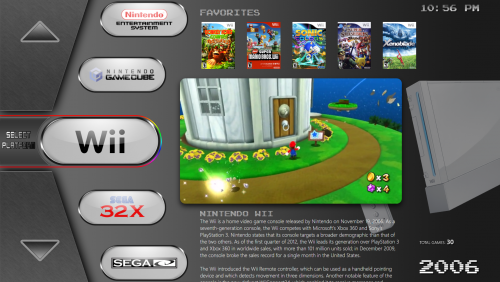 I haven't tried but you could either delete the gif image from the theme and see if it just ignores it. I've been thinking of swapping it with new non animated image instead but I do like it on the 16:9 animated. Which view are you using can you put up a screenshot so I can see the rounded black border, thanks
 -
 Awesome come back
 -
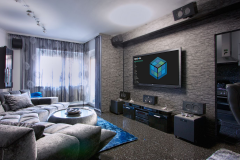
@harryoke how did you get into my house
-
Thanks for the feedback. Can you see the Community Stars in any of the views? The select platform/game I need to see if I can sort, I tried a few things but they failed
-
@Deathbringer @lezok I've just update the theme which should now make the Total Game Count work in all languages, can you let me know if it does
-
That's great thanks @vice350z I'll take a look at those tomorrow cheers The second link the SNES.psd the link goes to the Fanart.psd instead
-
@vice350z do you still have your Photoshop files and would you consider uploading them so maybe someone could take up the project crediting your work obviously
-
You could try WMP instead of VLC in the options, see if that fixes it
-
"drag and drop" would be amazing but and it's a massive but, I don't think will happen for a long while
-
Thanks for looking into this @NJDave71 hopefully @Jason Carr can take a look too
-
How to use Viking's Nostalgia vids with Default theme
Rincewind replied to flatuswalrus's topic in Big Box Custom Themes
Just thought I would mention that a better practice would be to of made a copy of the default theme folder first then you can change the name of that copied folder to what ever you want and then you would have your own custom theme -
@NJDave71 I haven't managed to get to a pc tonight to check, are you saying I don't need to change anything?
-
Thanks @lezok I will take a look at the city hunter code and see where its different. I think that theme does it without the @NJDave71 plugin, can you tell me does the game count work if your in the categories view using the city hunter theme?
-
I think I'm correct in saying the Default theme will reset any image changes you made as once it installs a new release the default images get put back to there original files.... What you need to do before manually changing images is to make a copy of the Default theme and change the folder name to what ever you wish (you can only change the default theme folder name, never a download one) and then the changes you make in there will stay after every update.
-
Vote on LaunchBox Upcoming Features - February/March 2018
Rincewind replied to Lordmonkus's topic in News and Updates
Voted, so interesting seeing what features people want added -
BIGFLIX: A new user experience for your HTPC
Rincewind replied to SNAK3ATER's topic in Big Box Custom Themes
For me the bottom one as you mentioned forced scaling just blows my mind hahaha



