

Retrofrogg
-
Posts
1392 -
Joined
-
Last visited
-
Days Won
8
Content Type
Profiles
Forums
Articles
Downloads
Gallery
Blogs
Everything posted by Retrofrogg
-
There's some talk about it on the BitBucket feature request page: https://bitbucket.org/jasondavidcarr/launchbox/issues/7747/rotating-freeze-in-new-3d-cover-display-in
-
@JoeViking245's plugin worked pretty well - thanks dude! But as he said, it doesn't do the images. I imported the CPC collection, and have been going through adding the images manually (which is very time consuming, as in the Gamebase collection all the images for a game are grouped together as a PDF file, so you have to extract each individual image from that - which I have been able to automate). The work is such that I'm considering just having a link to the Gamebase database in Launchbox, and then browsing the games within Gamebase - but of course the Gamebase UI isn't a patch on Launchbox, and I prefer to keep all collections together in the same format. Any thoughts on progressing this work Viking?
-

video set COLORFUL platform video set
Retrofrogg commented on viking's file in Platform Theme Videos
 Any chance of a Sega Model 1?
 -
Would appreciate some input with my issue - hi scores not being sync'd with Launchbox. Tried with both 1943 and Joust. Log file attached. Many thanks! Edit: the issue appears to be resolved; although MAME appeared to be the default emulator, I went to MAME emulator settings and on exit, it asked if I wanted to change all the games to use this default emulator. I clicked yes and it seems to be working (for now anyway)! Debug 2023-09-13 09-50-24 PM.log
-
.thumb.png.924d42fca88ca2fb0fc74dd7bd804edc.png) Still doing the good work I see Beezy
Still doing the good work I see Beezy -
800,000....come on, you've got to get to a million now!
- 229 replies
-
- 1
-

-
- collections
- mcfly
- (and 24 more)
-
bigbox theme KZARCADE (1080p Theme with Video Bezels)
Retrofrogg commented on THIBAUT's file in Custom Themes
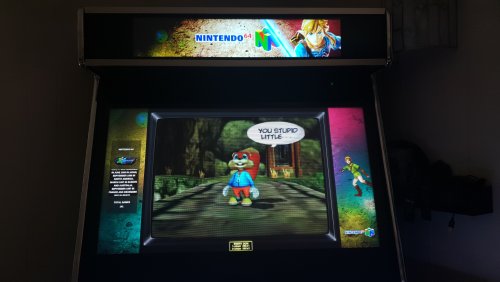 Thanks for the info! That aspect ratio/resolution is too wide for me. Don’t you find that most marquees don’t fill the entire width of the screen, and that the height is a bit low?
 -
bigbox theme KZARCADE (1080p Theme with Video Bezels)
Retrofrogg commented on THIBAUT's file in Custom Themes
Which marquee monitor is that? -
 I'm not entirely sure, but I don't think so.
 -
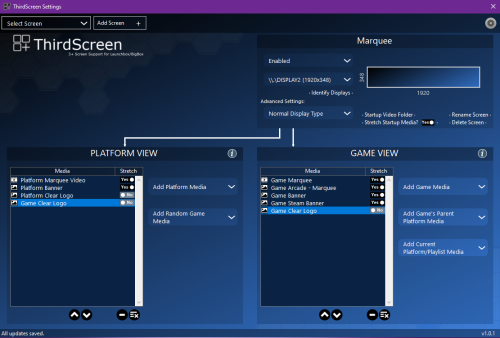
I'm using the Thirdscreen plugin:
-
Does this work in Launchbox, as well as Bigbox?
-
Mr. RetroLust's MAME Lights Out Bezels Revisited
Retrofrogg commented on kloug666's file in Platform Bezels/Overlays
 Came here from Mr Retrolust's page. Very nice work! Surprised there aren't more comments here. One thing, what has been mentioned before - the reflections. Would it be possible to batch reduce the screen reflection & scratch amount? I know that you can edit them individually but I wondered if you might be able to do the set as a batch.
 -
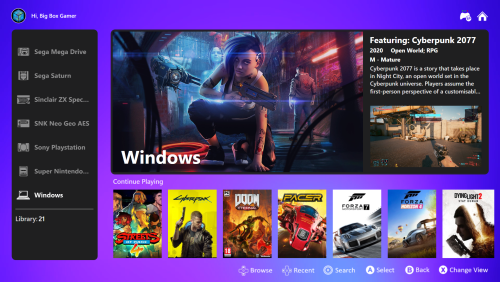 Very good, very nice.
 -
 Any thoughts on a version for Launchbox themes?
- 843 comments
-
- 1
-

-
- bigbox
- custom bigbox themes
- (and 1 more)
-
I've had this problem for a number of weeks or months now. When I edit some games and scroll through the images, some images aren't shown correctly and seem to expand outside the space allocated to them, obscuring the buttons and image information. See the below video for an example: Edit Game 2023-08-11 20-17-10.mp4
-
 Is there any way to have this app start with Launchbox, rather than having to load it each time?
 -
Very interesting. I tried importing magazines (PDF) into Launchbox at one point though was put off by the need to add covers manually (as opposed to Launchbox automatically generating thumbnails). Currently I use YACReader/YACLibrary, which is great at managing comics and magazines, can automatically pull metadata from Comicvine and has an iOS app so you can sync your library and read the comics on your iPad/device.
-
Thanks Neil. I read that the fix came with this update so thought it would be OK. I'll find that workaround.
-
I'm having this exact same problem. Updating from Beta 3 to the latest.
-
Still happening unfortunately. i'm using my own theme and still wonder if it's something theme-related. Will keep investigating. Hopefully someone will find a lead soon.
-
Huge Mame Marquee Collection including many in 4K resolution
Retrofrogg commented on Mr. RetroLust's file in Arcade
 As in 1680 x 342 aspect ratio, like this - https://www.assured-systems.com/uk/litemax-19-ultra-wide-stretched-bar-lcd-monitor-1680x342-300-nit/
 -
Huge Mame Marquee Collection including many in 4K resolution
Retrofrogg commented on Mr. RetroLust's file in Arcade
I'm currently setting up a 1680x342 marquee screen. The marquees are displaying fine, but many are not the full width of the screen. Did you come across any full-width marquees on your travels? -
Looking for a little help. I've just added a second screen (marquee screen). The plugin detects it fine, and I can choose what to display on it, but nothing actually displays - the screen just remains blank. It is set to display the game banner or marquee. Any advice appreciated! See screenshot:
-
Huge Mame Marquee Collection including many in 4K resolution
Retrofrogg commented on Mr. RetroLust's file in Arcade
What's the aspect ratio of these? -
I use the Romvault rom manager, which will automatically update your DATs too using Datvault. The dev is also working on a plugin for Launchbox to allow syncing. That might solve your problem.
.thumb.png.924d42fca88ca2fb0fc74dd7bd804edc.png)


